Muse referral codes
A Muse referral code connects your new account to the user who shared it and unlocks the sign-up rewards: new accounts get 1 billion Muse tokens.. Pick a code shared by the community below.
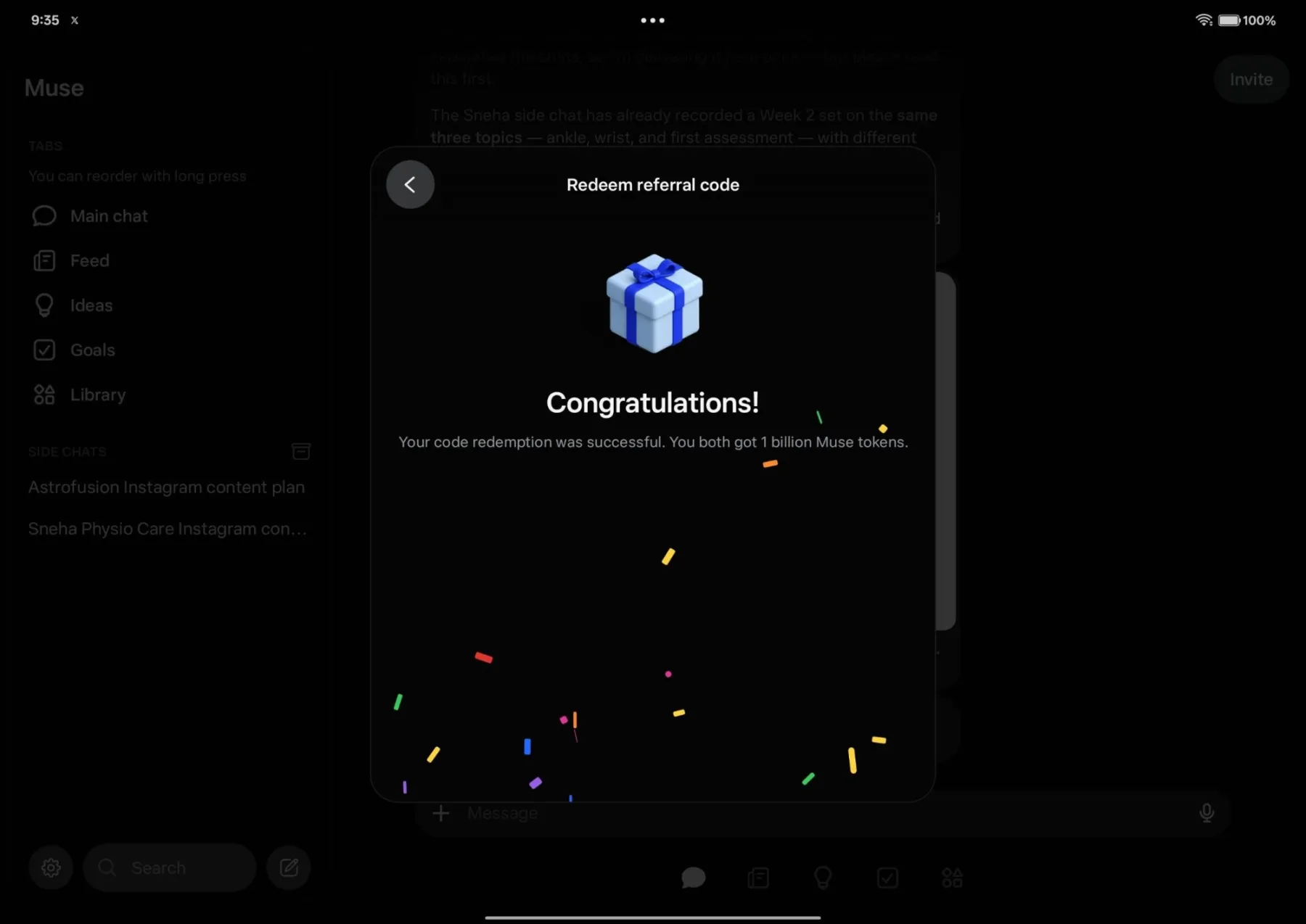
Both get 1 billion Muse tokens. New accounts only. Redeem within 48 hours of joining: Settings > Redeem token.
Muse referral codes (1)
Codes shared by Muse users. Copy one and enter it when you sign up.
Both get 1 billion Muse tokens. New accounts only. Redeem within 48 hours of joining: Settings > Redeem token.
Sorted by how many times each code has been copied.
Quick answer: The popular Muse referral code is "2OZE7X". Any other code shared by users below also works. New accounts get 1 billion Muse tokens. Enter a code in Muse Settings > Redeem token within 48 hours of joining.
What is Muse?
Muse is a personal AI agent for tasks such as shopping, health goals, saving money, and relationships. You can use Muse on mobile and desktop apps or chat with it through WhatsApp. Muse uses an isolated Linux computer with a full browser to complete tasks. You can give Muse goals by text or voice.
Muse can connect to email, calendars, Instagram, and other apps after you approve access. It can fill out forms, browse the web, and make purchases. You can review its actions before they happen. Muse keeps an audit trail of its actions. It stores your logins in a secure credential system and can use one-time card numbers during shopping to keep your real card details private.

Why sign up with a Muse referral code
How the referral works
The code runs through Muse's own referral program.
- 01Create a new Muse account at muse.ai or in the Muse app.
- 02Copy a referral code shared by users in the list on this page. Any of the codes can work.
- 03Enter the code in the referral code field on the sign-up screen, or use the code's referral link if one is available.
- 04Complete the redemption within 48 hours after creating your account.
- 05Confirm the referral, then check your Muse account for the token credit.
Referral bonus with a community code
Rewards unlock in order. Amounts can vary by country and campaign.
Use the code in 4 steps
Important rules and tips
- Create a new accountThe offer applies to new Muse accounts. Existing accounts usually cannot redeem a referral code for the bonus.
- Redeem within 48 hoursEnter a community referral code in Muse Settings within 48 hours of joining. The redemption option may disappear after that time.
- Receive 1 billion tokensA successful redemption gives the new user 1 billion Muse tokens. The person who shared the code also receives 1 billion tokens. The extra balance does not expire.
- Use only one codeEach new account can redeem only one referral code. Enter the code on the official Muse Settings screen, not on a third-party website.
- Check supported countriesThe available information lists the United States and Canada as the main supported regions. A referral code does not provide access outside regions where Muse operates.
- Protect your account detailsDo not give your login details or payment information to third-party sites that claim to process the reward. Redeem the code inside the official Muse interface.
Sign-up with and without a code
| AT SIGN-UP | NO CODE | WITH CODES |
|---|---|---|
| Sign-up bonus | — | 1 billion tokens |
| Free weekly allowance | About 100 million tokens | About 100 million tokens |
| Bonus expiration | — | Never expires |
| Redeem window | — | 48 hours |
| Referrer bonus | — | 1 billion tokens |
| Early feature access | — | After 20 invites |
| Account access | Yes | ✓Yes |
| Cost | Free | Free |
Join Muse with a community referral code
Create a free Muse account and enter a code from the list in Settings within 48 hours. You will receive 1 billion Muse tokens.
More codes and links