Mercor referral links
A Mercor referral link connects your new account to the user who shared it and unlocks the sign-up rewards: no cash bonus for signing up. You get the same account and AI interview.. Pick a code shared by the community below.

I just did an interview on Mercor for Odin Project, I was so scared but I freaking passed. You can also sign up here.

Use my referral link to join MERCOR
Spent 3 months evaluating AI as a Korean–English technical evaluator on Mercor. Remote, flexible hours, weekly payouts.
Come sign up for Mercor, guys, please use my referral.
Mercor referral links (7)
Codes shared by Mercor users. Copy one and enter it when you sign up.
I just did an interview on Mercor for Odin Project, I was so scared but I freaking passed. You can also sign up here.
Use my referral link to join MERCOR
Spent 3 months evaluating AI as a Korean–English technical evaluator on Mercor. Remote, flexible hours, weekly payouts.
Come sign up for Mercor, guys, please use my referral.

Earn from your first billable hour. Referral rewards are 20% of the referred person’s earnings across hourly work, bonuses, and one-time payments.

I work for a few companies under Mercor. Pay real good. Anybody need a referral link. Click and join.

Register on Mercor: Sign up is simple! Click on the referral link. Enter your email and complete your profile.
Sorted by how many times each code has been copied.
Open a Mercor referral link from the list before creating an account; the invite is attached automatically. Then complete your profile and short AI interview and apply for projects. There is usually no signup cash bonus, and the link does not guarantee a job. The person who shared it may earn a reward if you are hired and start billable work.
What is Mercor?
Mercor is a talent platform that uses AI to match people with remote work at companies and research labs. It is based in San Francisco and connects software engineers, data specialists, designers, writers, lawyers, doctors, linguists, and other experts with projects that need professional judgment.
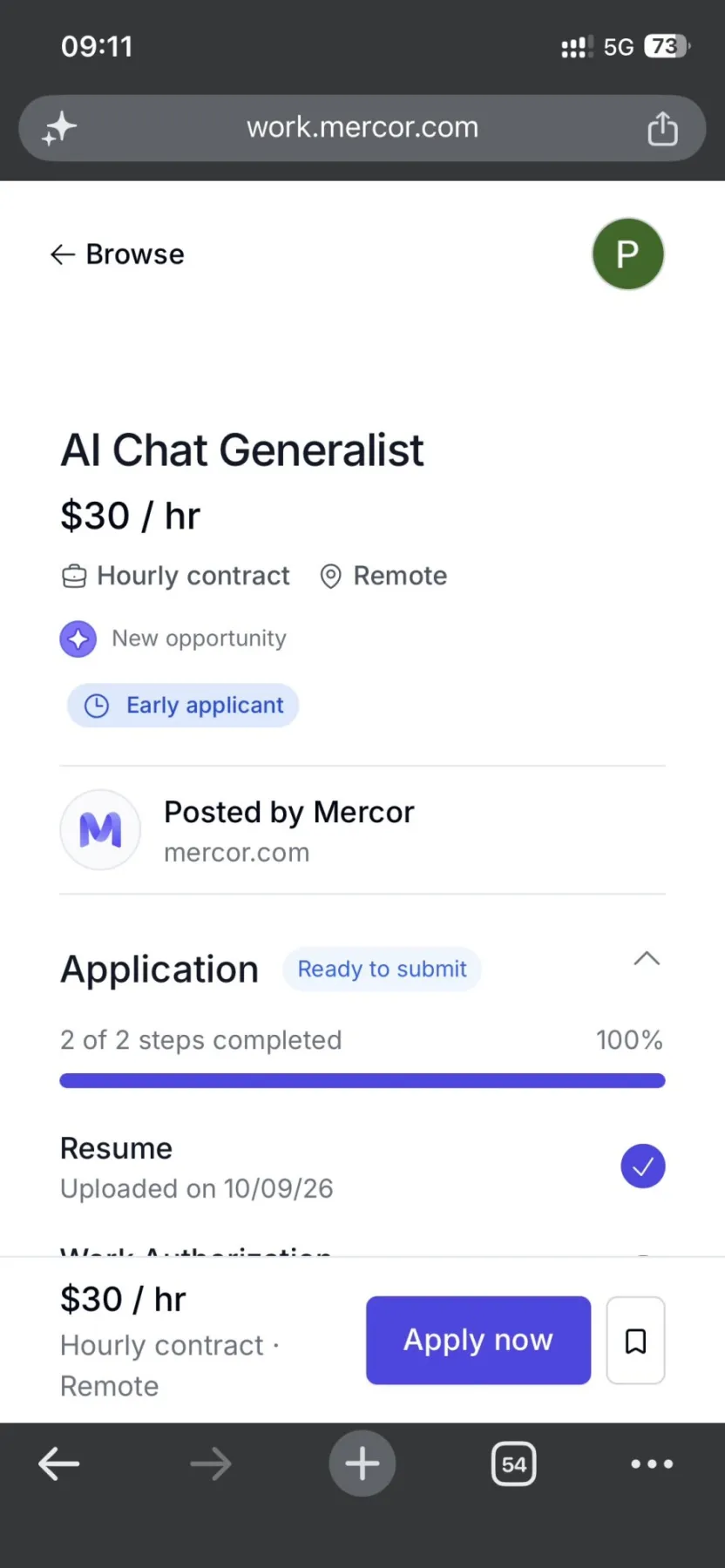
You apply once, not to every listing. You upload a resume, complete a profile, and usually take a short AI interview. Mercor then matches you to roles that fit your background. Projects are remote and flexible, with weekly or regular payouts once work is approved. Pay depends on the role and can range from modest hourly generalist work to several hundred dollars an hour for scarce expertise. Each listing has its own rules for location, language, equipment, and experience.

Why sign up with a Mercor referral link
Referral bonus with a community code
Rewards unlock in order. Amounts can vary by country and campaign.
Use the link in 8 steps
Important rules and tips
- Open the link firstOpen a referral link from the list before you create your account. Mercor usually credits the referrer only when signup starts from that link.
- Use one link onlyPick one link, open it, and finish signup in that same session. Using more than one link can stop the referral from being credited.
- Finish your profileComplete your profile, upload your resume, and take the AI interview. A finished profile and a strong interview improve your chances of getting matched to a project.
- Referral pays after hireThe referrer earns 20% of your earnings from your first billable hour, up to a cap. Signing up alone does not trigger the reward.
- Check each listingEach job has its own rules for location, language, equipment, and experience. Read the listing before you apply.
- Watch for scamsMercor signup and payouts happen on Mercor's own site. Treat any request to pay a fee or share your bank password as a warning sign.
Sign-up with and without a code
| AT SIGN-UP | NO CODE | WITH CODES |
|---|---|---|
| Account type | Standard Mercor account | Same Mercor account |
| AI interview | Required | Required (same) |
| Profile and matching | Yes | ✓Yes |
| Referrer reward | — | 20% of your earnings from first billable hour, up to a cap |
| Signup bonus | — | No cash bonus |
| Cost | Free | Free |
Common questions
What is the Mercor referral link?
It is a personal link an existing Mercor user shares. When you sign up through it, Mercor ties that person's invite to your new account.
Do I get extra cash for signing up with a Mercor referral link?
No. You get the same Mercor account, profile, AI interview and project matching. The cash reward goes to the person who shared the link, and only after you are hired and start billable work.
How much does the person who shared the link earn?
Users describe the current terms as 20% of your earnings, including hourly work, bonuses and one time payments, from your first billable hour until a cap is reached. Rates and caps can change, so referrers should check their Mercor dashboard.
Can I add a referral link after I create my account?
Usually no. The invite needs to come through the link at signup, and an existing account often cannot be linked to a referrer later.
Which code should I use from the list?
Any code from the list works. The one at the top is the most copied, but you only need one.
Does a referral link guarantee I get hired?
No. Mercor still reviews your profile, your AI interview and your applications. Hiring decisions belong to Mercor and its clients.
Who can use a Mercor referral link?
Mercor lists remote roles for experts in many countries, but each job has its own rules on location, language, equipment and experience. The listing shows whether you can apply.
How do I get paid on Mercor?
After you are hired, you set up payment and work authorization in Mercor, finish the assigned work, and get paid on that project's schedule. Users often describe payouts as weekly once work is approved.
Join Mercor with a community referral link
The reward goes to the person who shared the link. It starts after you are hired and log your first billable hour. Joining Mercor costs nothing.
More codes and links