
Hark referral links
A Hark referral link connects your new account to the user who shared it and unlocks the sign-up rewards: free plan with usage limits. Some new users report Pro access at signup.. Pick a code shared by the community below.
Join Hark with this invite link. When 3 friends join and send their first message, the inviter gets a free month of Hark Pro (2x usage, normally $20/month).

Is this Opus 5.5 style? It made a vibe knowledge video in one sentence, no edits. Hark is the smartest agent assistant I have used. Sign up and get a free Pro

Tested Hark, it is much smarter than Muse! Invite 3 people now and you can get Pro 2, and you get Pro when you sign up now!

I've been testing Hark AI and it's quickly becoming one of my favorite AI tools. If you're looking for a smart AI assistant to help you, think, write,
Hark referral links (7)
Codes shared by Hark users. Copy one and enter it when you sign up.
Join Hark with this invite link. When 3 friends join and send their first message, the inviter gets a free month of Hark Pro (2x usage, normally $20/month).
Is this Opus 5.5 style? It made a vibe knowledge video in one sentence, no edits. Hark is the smartest agent assistant I have used. Sign up and get a free Pro
Tested Hark, it is much smarter than Muse! Invite 3 people now and you can get Pro 2, and you get Pro when you sign up now!
I've been testing Hark AI and it's quickly becoming one of my favorite AI tools. If you're looking for a smart AI assistant to help you, think, write,

Hark is a personal agent with its own cloud computer, in the same space as Muse and Grok Bot. The interface is very clean. New users sign up at the Pro tier.

Hark Pro's free trial is about to end. It's a decent entry into the personal AI assistant and nice UI. I've got a referral link of you want to try it: I

if you want 1month of free hark_labs PRO:
Sorted by how many times each code has been copied.
Quick answer: Open a Hark referral link from the community list before you create your account. The link carries the invite into Hark's official signup flow; there is no separate code field to enter. Sign up with Google, Apple, or email in the same session, then send your first message so the person who shared the link can earn a free month of Hark Pro after 3 friends join. New-user access depends on the current signup screen.
What is Hark?
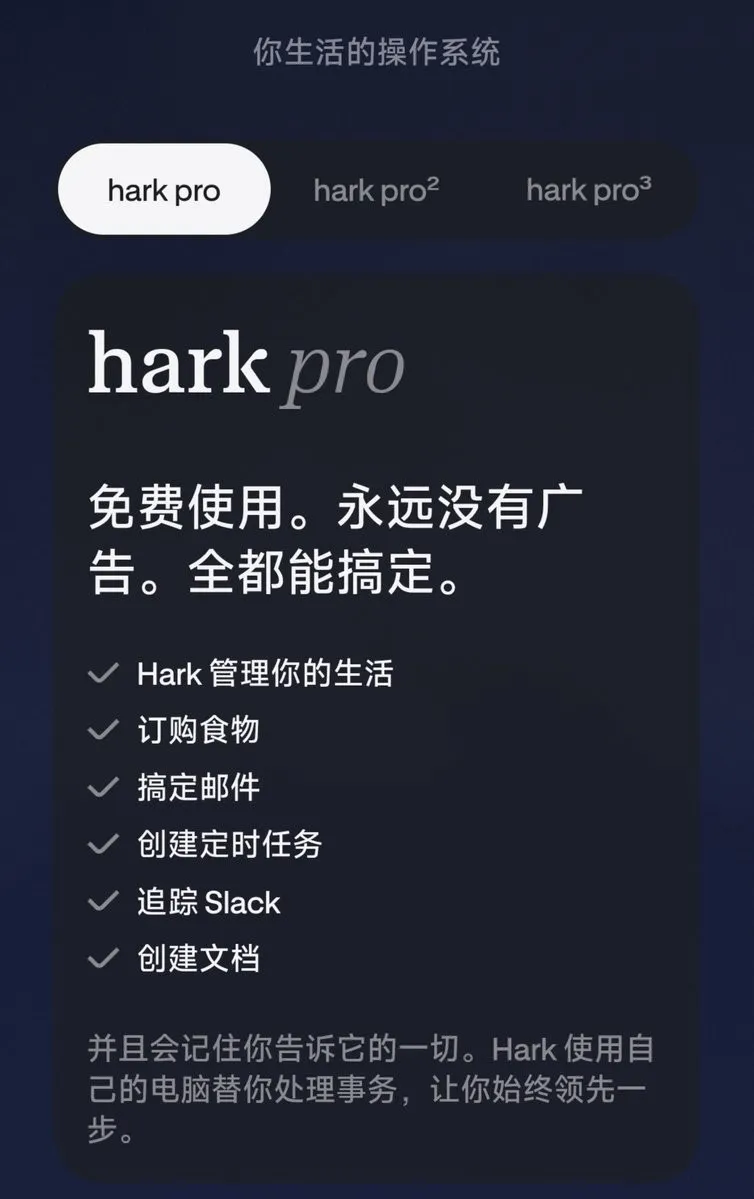
Hark is a personal AI assistant from Hark Labs. It helps you think, write, research, and finish real tasks. You can ask it to book appointments, place orders, run scheduled checks, and sign into connected sites. Official posts describe Action Buttons that finish a job from start to finish, Panels that sit on a home page and connect to tools you already use, and a Handoff style environment for open ended work on the web. Hark can message you in places such as iMessage, and it asks before it posts or spends.
Hark runs on the web, iOS, and Android, with a Mac app as well. You sign up with Google, Apple, or email. A free plan is available with usage limits, and Hark Pro is the paid tier with higher usage. Hark may be limited by country or a waitlist at times, so check that you can sign up before you rely on the offer.

Why sign up with a Hark referral link
How the referral works
The code runs through Hark's own referral program.
- 01Hark is a personal AI assistant that can research, write, book, and run tasks from your phone, computer, or a message thread.
- 02The invite program pays the person who shares it: they get a free month of Hark Pro after 3 friends join and send their first message.
- 03Pick a referral link from the list on this page and open it before signup. The link starts Hark's official signup flow.
- 04Continue signup in the same session you opened from the referral link, using Google, Apple, or email.
- 05The invite is carried by the link path. Continue through Hark's signup flow; there is no separate code field to enter.
- 06Complete any onboarding Hark shows you and grant only the permissions you are comfortable with.
- 07Send your first message in Hark so the invite link counts for the person who shared it.
- 08Try a real task, such as a draft, a booking, or a scheduled check, and review the result before you approve any post or payment.
Referral bonus with a community code
Rewards unlock in order. Amounts can vary by country and campaign.
Use the link in 6 steps
Important rules and tips
- Open the link firstOpen a referral link from the list before you create your account. An invite usually cannot be added to an account that already exists.
- Use one link onlyPick one referral link, open it, and finish signup in that same session. Using more than one link can stop the invite from attaching.
- Send a first messageSend your first message in Hark after you join. The person who referred you needs 3 friends to join and send a first message to earn the free month of Hark Pro.
- Check the current rewardThe 3 friend target and the exact Pro tier can change. Trust the terms shown in your account, not a reward amount copied from an older post.
- Watch for country limitsHark may be limited by country or by a waitlist at times. Some user posts describe a United States focus for new users, so check that you can sign up before you rely on the offer.
- Keep your login privateOnly use a referral link you are comfortable crediting. Do not hand over your login or approve a payment for a stranger who asks you to join Hark.
Sign-up with and without a code
| AT SIGN-UP | NO CODE | WITH CODES |
|---|---|---|
| Account type | Standard Hark account | Standard Hark account |
| Signup methods | Google, Apple, or email | Google, Apple, or email |
| Invite attached to account | — | ✓Yes |
| Friend earns free month of Hark Pro | — | Yes, after 3 friends join and send a first message |
| Referral added later | — | Usually not possible |
| Platforms | Web, iOS, Android, Mac | Web, iOS, Android, Mac |
| Cost | Free | Free |
Common questions
What is the Hark referral link?
It is a personal invite link that existing Hark users share. Opening it takes you into Hark's official signup flow so the invite attaches to your new account.
Where do I enter a Hark referral link?
You open the link before you create your account. There is no separate code box at signup, so the invite has to come in through the link itself.
Can I add a referral link after I sign up?
Usually no. The invite needs to attach when you create the account, and an existing Hark login typically cannot be linked to a referral later.
How does a Hark referral link attach to my account?
Open the link before you create your account. The invite is carried by the referral link itself; there is no separate code box at signup.
How many friends does the referrer need?
The offer people share most often is 3 friends who join and send their first message. Check the current rule in your account before you promise a specific tier.
Do I get anything as a new user?
You get a normal Hark account with whatever welcome or Pro access your signup screen shows. Some users report Pro access at signup, but those details change.
How do I sign up for Hark?
Use Google, Apple, or email on the official signup page. Finish onboarding, then send your first message so the invite counts for the person who referred you.
Why did my friend's referral not count?
Check that your friend opened the link before creating the account, that the account is new, and that they sent a first message. If the Pro month is still missing, contact Hark support.
Is Hark free to use?
Hark has a free plan with usage limits. Hark Pro is the paid tier with more usage, often described as $20 a month.
Where can I use Hark?
Hark works on the web, iOS, and Android, with a Mac app as well. It can also message you in places such as iMessage.
Can anyone join through a Hark referral link?
Anyone who can create a new Hark account through the official signup flow. Some user posts describe a United States focus, so check that signup is open in your region.
Does Hark post or spend money on its own?
Hark is built to ask before it posts or spends. You still review and approve any booking, order, or payment yourself.
Join Hark with a community referral link
Open a referral link from the list before signing up. Continue with Google, Apple, or email in the same session, then send your first message.
More codes and links